Faster Documentation Creation
Turn a completed workflow into a guide people can follow.
Turn any process into a step-by-step video & screenshot guide in seconds.
CaptureEditShare
Current workflowCapture · Edit · Share

PublishedOwner assignedUsage measured
Capture steps, refine instructions, protect sensitive details, and publish in the format teams need.
Where it helps
Impact We Create
Helping individuals/teams save hours daily, improve knowledge sharing, and make documentation effortless
Fewer Repetitive "how-to" Queries
Less Time Spent Explaining Routine Processes
Improved Knowledge Base Quality
Standardized Process Documentation
Higher Productivity Across Teams
Product workflow
How Gyde Works
01
Workflow stage
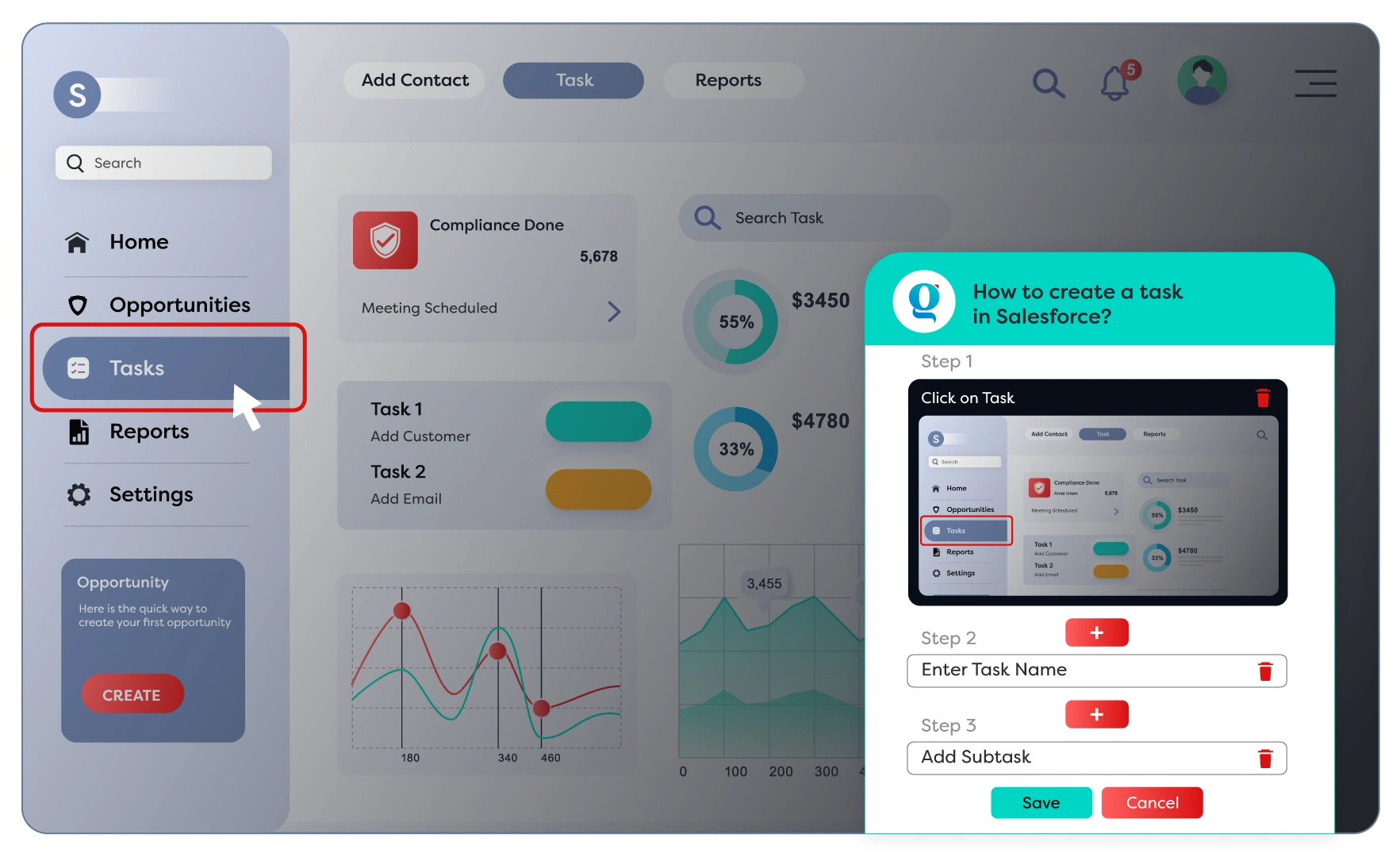
Capture
Perform any process once and Gyde automatically records it, generating screenshots and a video guide. Each action is clearly captured, helping you create accurate documentation with minimal effort.
- Automatically generates step titles
- Records process as a video with narration
- Allows blurring of sensitive information
02
Workflow stage
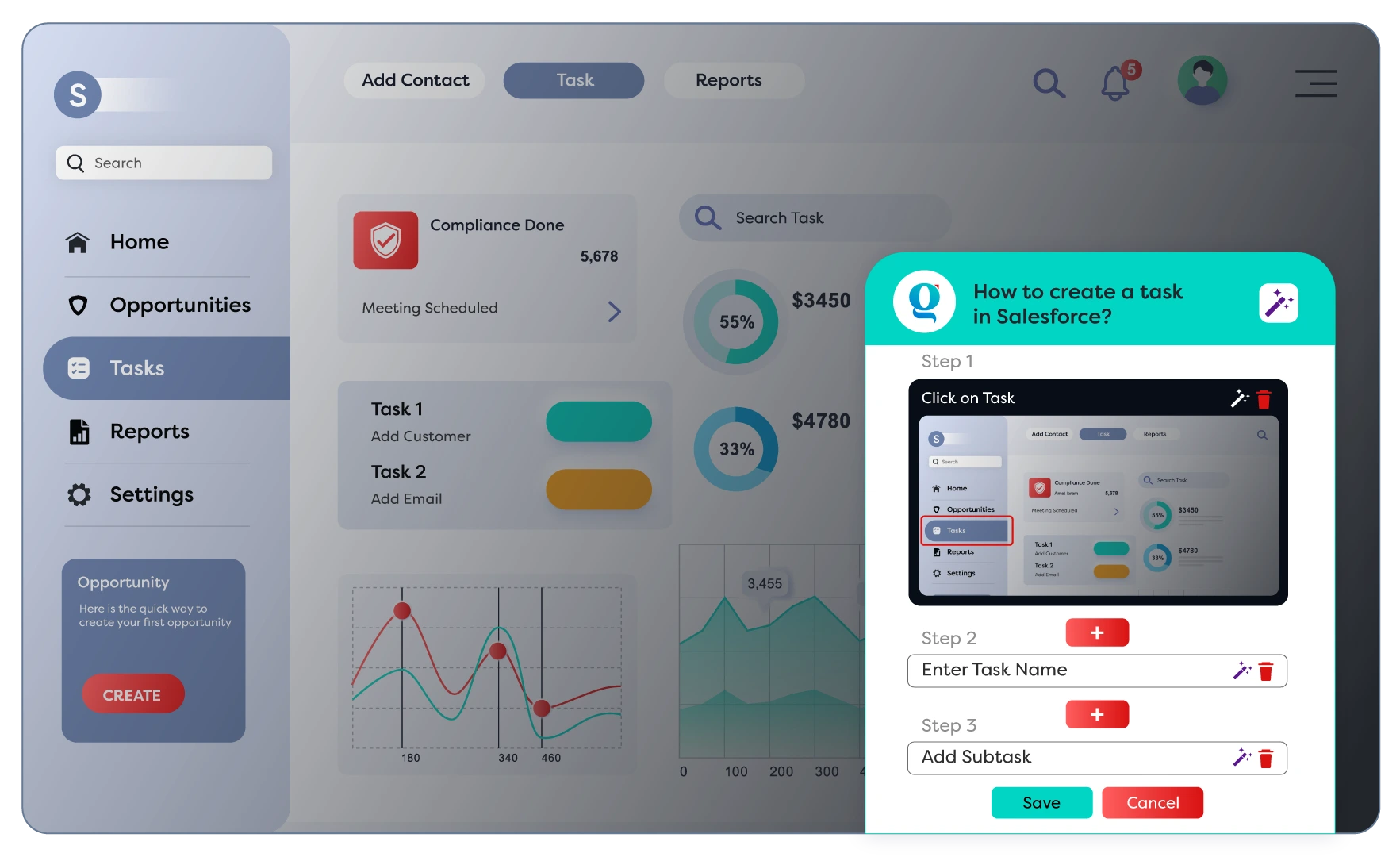
Customize
Quickly tailor your documentation to fit your needs. Edit text, reorganize steps, or fine-tune visuals to ensure the guide communicates with clarity and professionalism for different audiences.
- Add or delete steps as needed
- Update or replace screenshots easily
- AI text enhancer for better instructions
03
Workflow stage
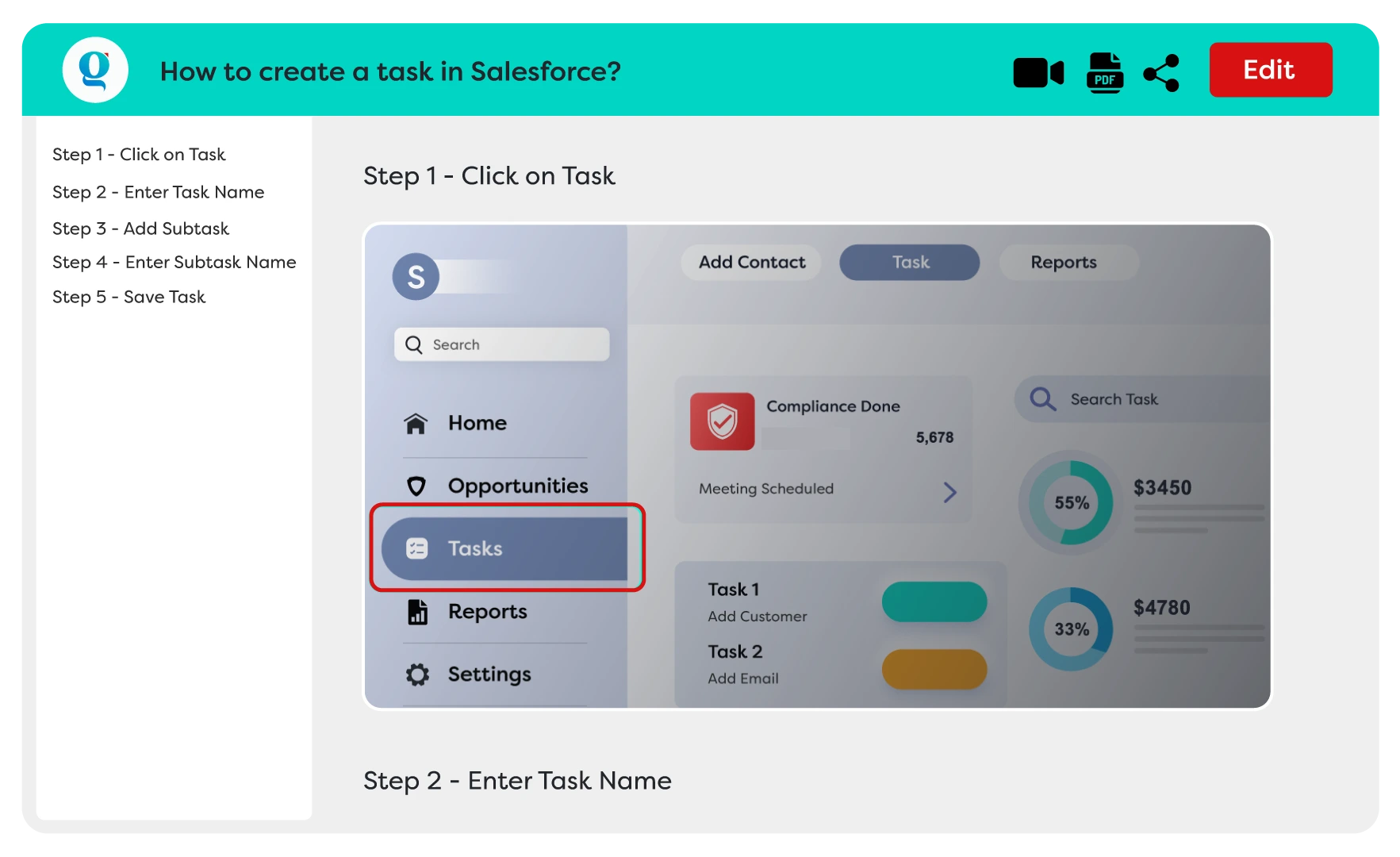
Share
Distribute guides in the format that suits your team. Whether online or offline, Gyde makes knowledge accessible, shareable, and easy to integrate into existing workflows.
- Share instantly with a unique link
- Create a collection link to group multiple guides
- Export as PDF or MP4 for offline use
Capabilities
Gyde's Key Features
Everything you need to create documentation, all in one place.
Blur Sensitive Details
Safeguard confidential data in your guides. Gyde allows you to blur sensitive information in screenshots or videos, so your documentation stays professional, compliant, and safe to share anywhere.
- Protect sensitive data instantly.
- Share guides without risk.
- Maintain trust and professionalism.
AI Text Enhancer
Transform rough notes into polished instructions. Gyde's AI automatically rewrites step titles and descriptions, making them concise, clear, and error-free for easy comprehension and smoother learning experiences.
- Clear, concise step titles.
- Reduce errors from ambiguity.
- Improve overall guide quality.
Gray-Out Mode
Guide users with precision. Gyde grays out irrelevant areas, keeping attention on the active step, minimizing confusion, and helping users complete tasks faster with greater accuracy.
- Highlight the active step.
- Minimize screen distractions.
- Increase task accuracy.



See it in your workflow
Start Creating AI-Powered Documentation Today
Stop wasting hours on repetitive explanations. Turn any process into easy video and screenshot guides that your users love and learn from instantly.
Download the Extension↗︎